Transcripts
Transcribed on your Mac, live while the meeting runs or later from the recording, in whatever language it detects.
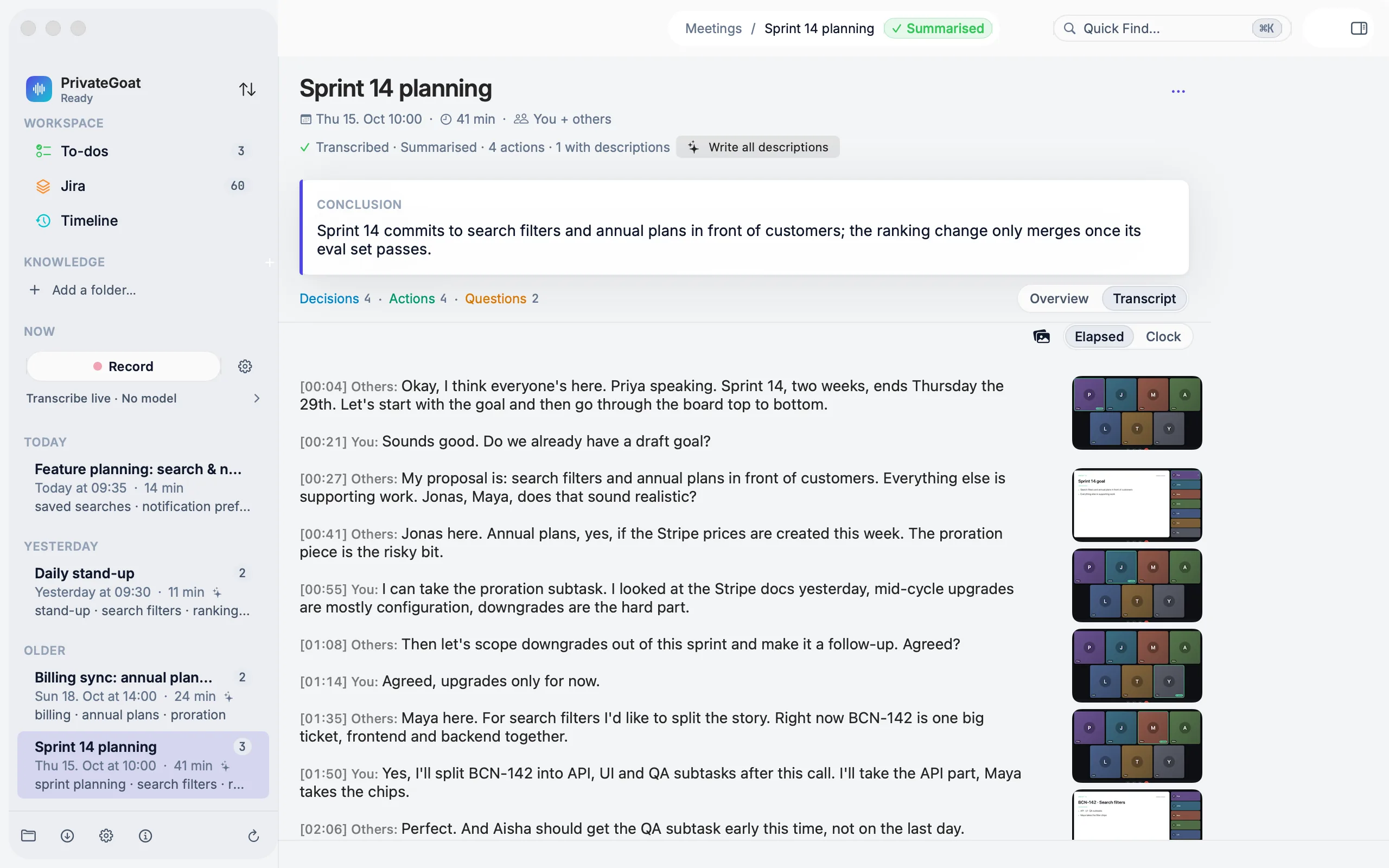
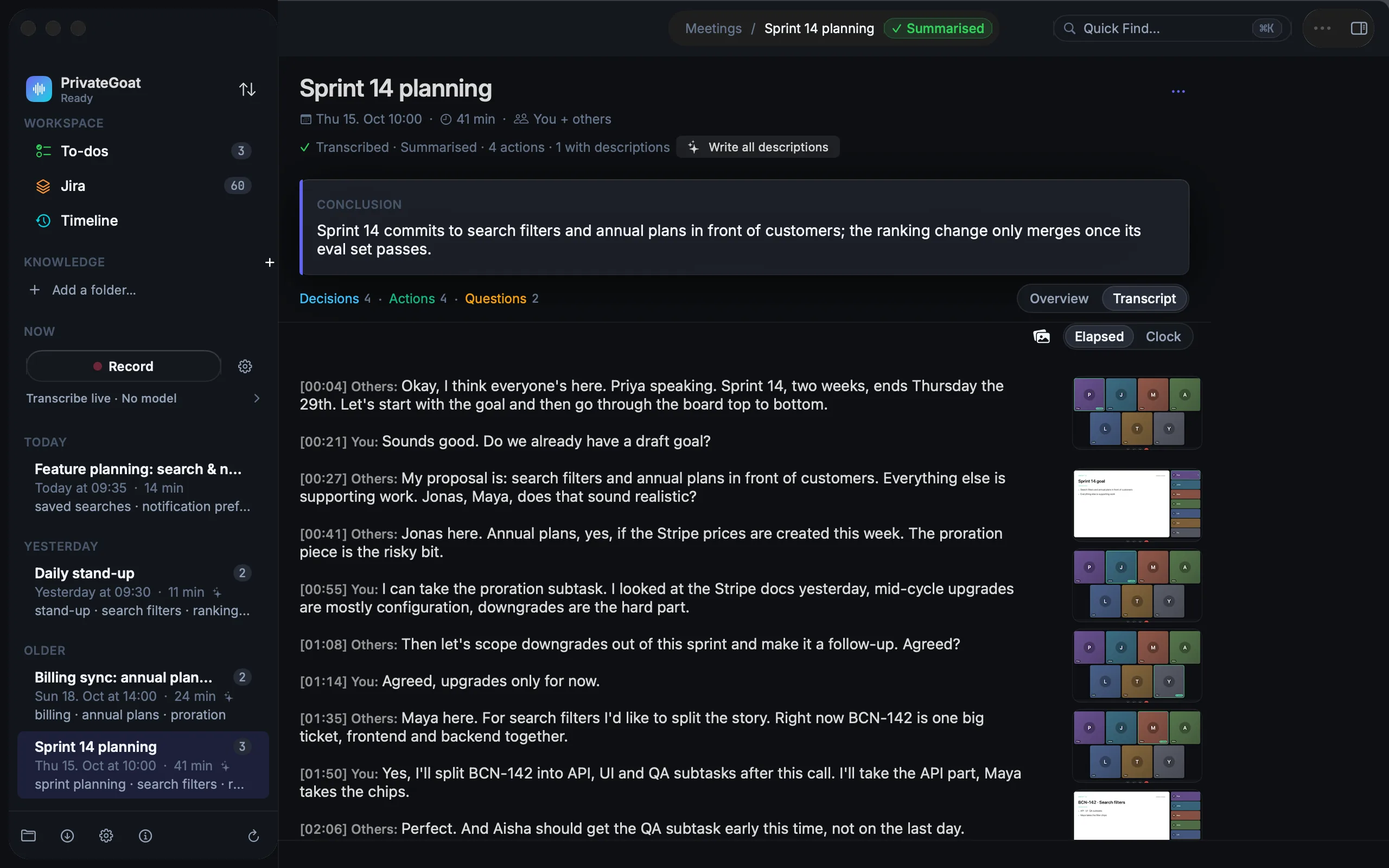
A transcript is the searchable, quotable record of the meeting, written by a speech model running on the Mac. At the default capture level it appears while you talk; at Transcribe when it ends it is written in one pass when you stop; and a meeting recorded with Record only keeps its audio for a transcript later.
How to use it
Live. From Transcribe as you go, gently upward, the transcript is written while the meeting runs. The text lands in the meeting's Transcript tab, with your microphone as one speaker track and the Mac's audio as the other, aligned on one timeline.
At the end. At Transcribe when it ends nothing decodes while the meeting runs; the whole recording is transcribed once when it ends.
Later. For a meeting recorded with Record only, open the meeting and use Transcribe in the pipeline row under the title. Re-transcribe runs the pass again with the model you have now.
Finding a line. Use Find in the transcript to search inside it; optional clock times switch the timestamps on. Playback and corrections have their own page: Playback and corrections.
Language. The language is detected automatically, including a switch mid-meeting; nothing needs to be
configured per call. At the two highest capture levels, each line is also translated into the language you
chose beside the dial: by Apple's on-device translator when the language pair is installed, and otherwise
by Whisper into English. A translated line names its languages, and the saved Markdown marks it
Translation (German → English):. See Live Subtitles for the subtitle bar.
Settings
| Setting | Where |
|---|---|
| Capture level | Settings → Meetings → Recording & models → Recording |
| Meeting speech model | Settings → Meetings → Recording & models → Transcription: click an installed model card |
| More models | Settings → Meetings → Recording & models → Get more models |
| Model manager (download, delete, show in Finder) | PrivateGoat → Whisper Models…, or Settings → Advanced → Whisper Models |
| Dictation engine (separate from meetings) | Settings → Dictation → Engine |
Meetings always use a Whisper model; dictation can use Apple's on-device speech instead. See Dictation.
What is stored
The transcript is meeting.md in the meeting folder. The engine, model and version are recorded in an HTML
comment at the top of that file, and nowhere else: meta.json holds the meeting's own metadata (title,
dates, keywords, the enrichment model), not the transcription model. The audio stays beside the transcript
as audio.wav and system.wav. Speech model weights live in
~/Library/Application Support/Sonavia/Models; the model manager also uses models it finds in
~/whisper.cpp/models and ~/Library/Application Support/Whisper, without moving them.
| Item | Where |
|---|---|
| Transcript | ~/Library/Application Support/Sonavia/Meetings/<meeting>/meeting.md |
| Engine, model, version | An HTML comment at the top of meeting.md |
| Speech models | ~/Library/Application Support/Sonavia/Models |
What leaves your Mac
Nothing. Transcription runs on the Mac with whisper.cpp; no cloud speech-to-text exists in the app. The only network use in this path is the one-time model download from Hugging Face, pinned to a revision and checked by SHA-256.
When it is off or fails
- No meeting model selected: transcription is disabled with "Choose a meeting model in Settings, then transcribe this recording."
- No
audio.wav, or the meeting is still recording: transcription is disabled, so a pass never competes with capture. - A decode error: the audio stays in place for a retry.
- No speech found: the transcript carries the placeholder
_No speech transcribed._and no summary is produced. - Translation: a window that the speech detector rejected, or that produced no accepted words, gets no translation line. A language pair that is not installed falls back to Whisper's translation into English. Turning translation on takes effect at the next meeting, because the capture level is fixed for the current one.
Related
- Recording — the capture levels and the two tracks.
- Words and terms — names and jargon the model should expect.
- Summaries and action items — what the transcript becomes.